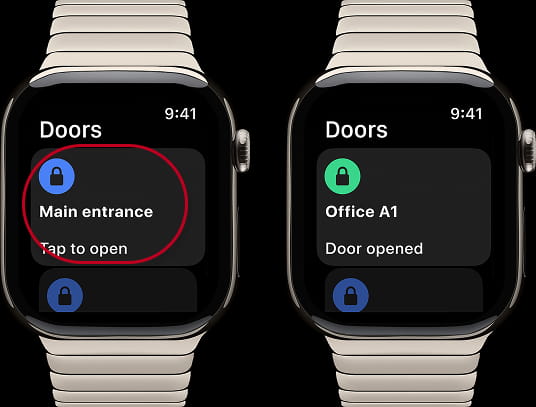
My2N and Apple watch
From August 12th 2025, you will be able to use the My2N App directly from your Applewatch, and that even if you don't have your mobile with you.
For that we have some versions prerequisites :
| Minimum required version | ||
| iOS version | My2n App version | WatchOS version |
|---|---|---|
| iOS 17.0 or later | 4.1.0 and higher | watchOS 11.2 or later * |
*Minimum Apple Watch serie is series 6
Important notes
- Currently, we support only Apple Watch. Support for other smartwatches will follow based on demand.
- We support the door unlocking function for Apple Watch. Answering calls on Apple Watch is still in the discovery stage.
- Supported watches: Apple Watch (Watch OS 11 and higher)
- Type of app : companion App
- Supported functions : Unlocking the doors
- Required connectivity : Bluetooth Only
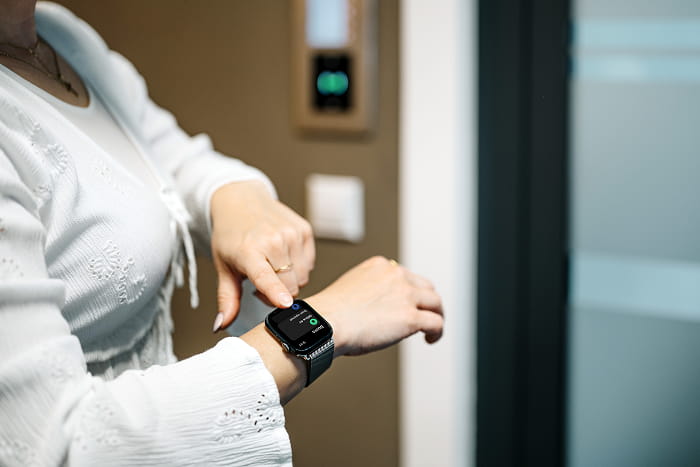
Apple Watch will allow you to open doors using BlueTooth signal as you were able to do with your My2N App on your mobile.
It is not possible to make or receive calls from the Apple Watch, nor to open a door remotely.
In order to do so, make sure that your My2n App and your iOS device fulfill the version prerequisites and pair your Application online or offline as explained in the below links:
or
Your Application is now working. You, now, need to pair your AppleWatch with your mobile.
For that, I invite you to follow the instructions from Apple support :
https://www.youtube.com/watch?v=e2AJa2iwEzo
After all those steps, you should be able to see the My2n App on your AppleWatch
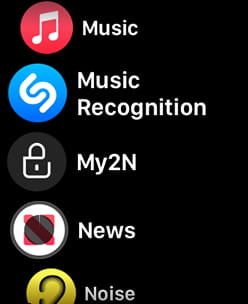
But in certain cases, I might happen that you still don't see the App there.
In this case:
- Verify on Apple Watch App on your mobile that the My2N App appears there. Eventually, it might be on available App to be visible. So hit the Button, in order to push it on the Watch
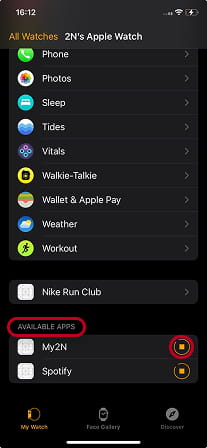
Then wait few second and it should appear. - If it does not appear at all in Apple watch App on your mobile, doublecheck that you have respected all minimum version required, iOS , AppleOS, and My2N App.
Then, if you realize that all prerequisites are now fulfilled, check again. - If afterwards, you still don't see the App on your watch, delete the App from your mobile, unpair your watch, reinstall the App, and pair again.
- If you don't have better result send a report to support using the App section dedicated to that purpose
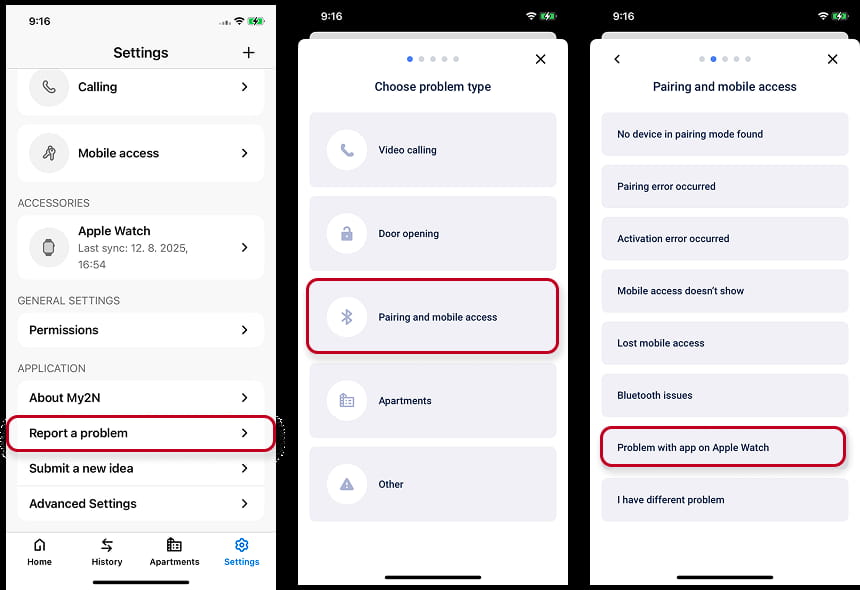
Somebody will contact you shortly.
Finally you are ready to use your My2n Application